MT MT - Mosh Terminal

Free 14-day trial. Then buy once.

A buy-once terminal for serious mobile work.

Run SSH, Mosh, tmux, Claude Code, and Codex from iPhone or iPad. MT keeps multiple remote sessions within reach, with one-tap tmux controls, iPad keyboard workflows, and no subscription.

SSH & Mosh tmux workflows Claude Code & Codex

Free download · 14 days of full access ¥2,000 / $14.99 one-time · No subscription
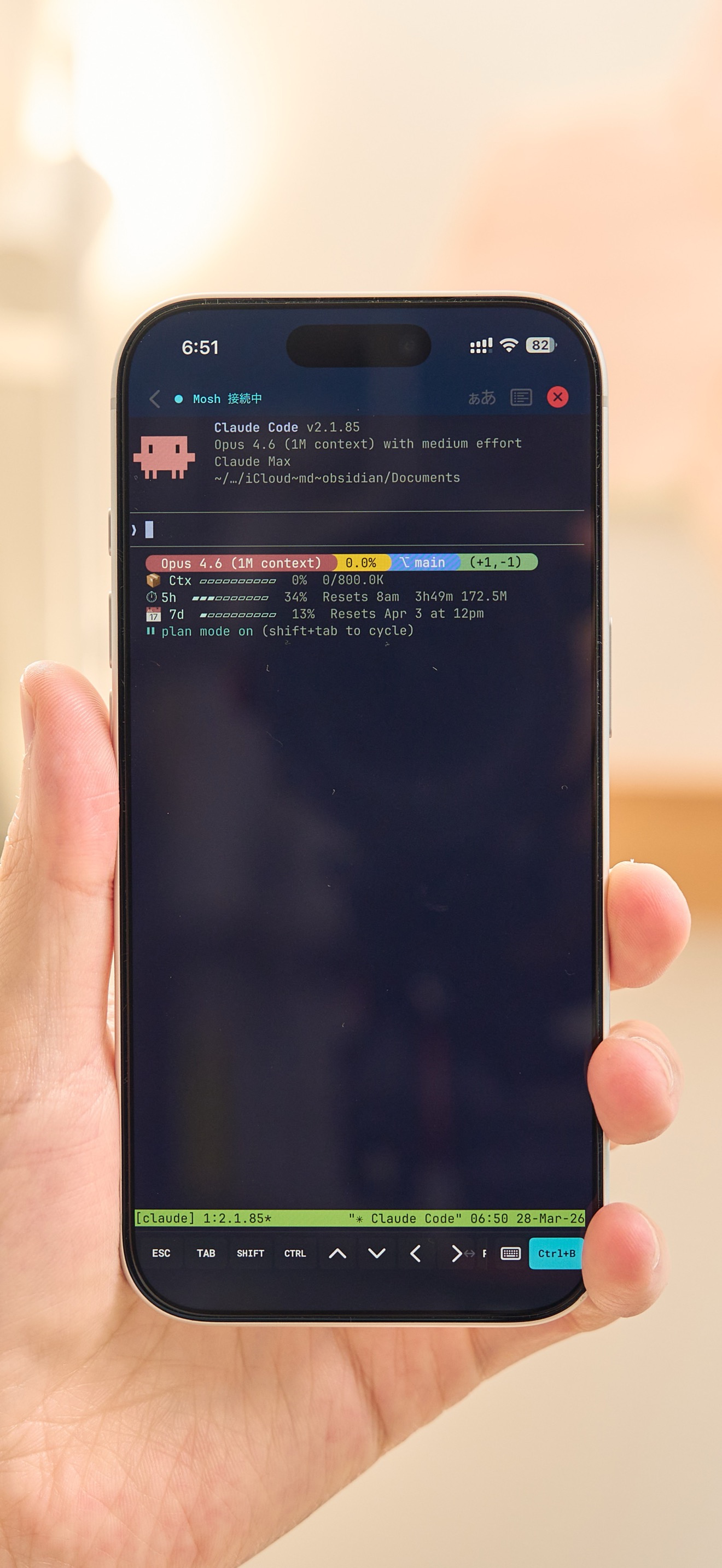
MT running a Claude Code terminal session on iPhone

One app for all your remote work

Keep multiple SSH and Mosh sessions open, switch between servers, and return to active work without rebuilding your setup. MT is built for real terminal workflows on mobile — not a subscription shell wrapper.

Buy once No subscription Multi-session
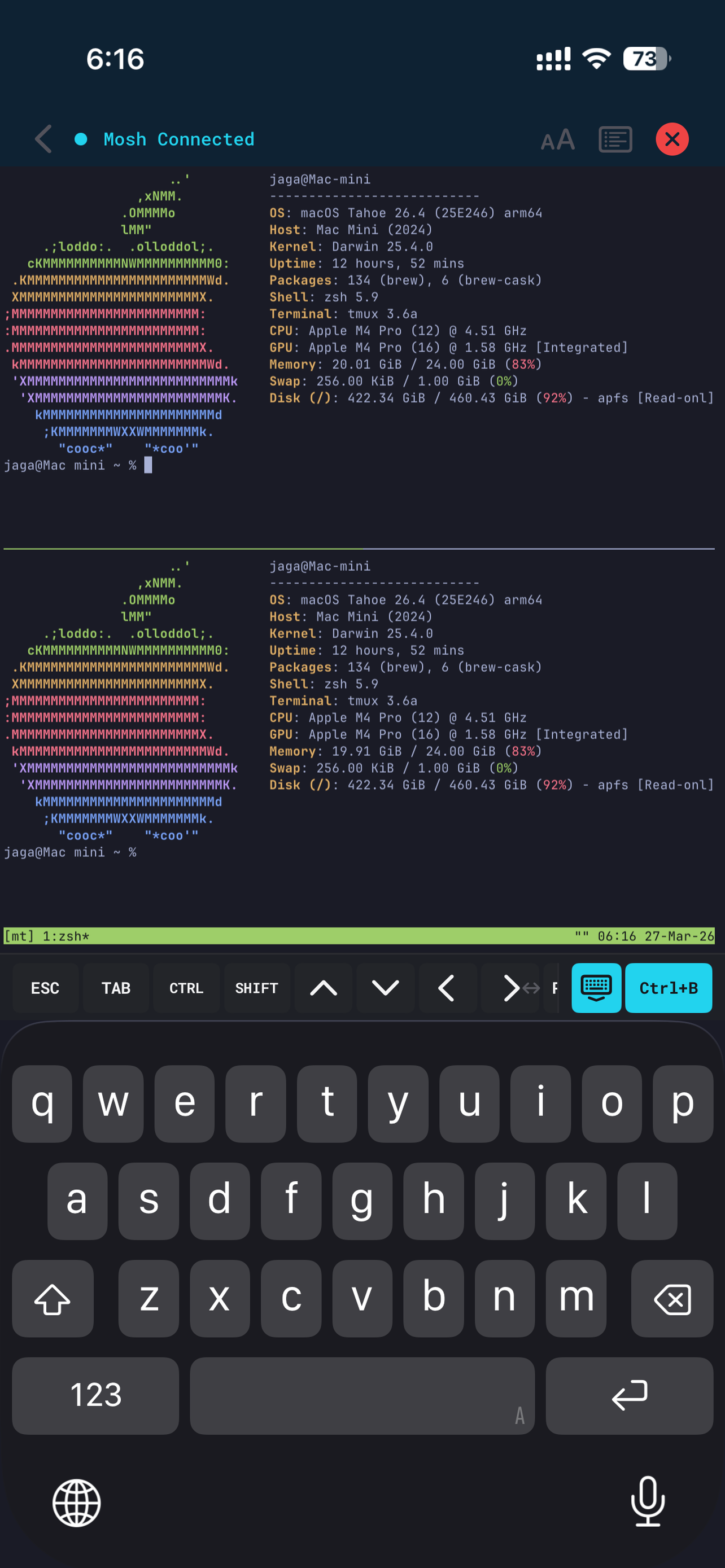
Multiple active terminal sessions in MT

Full tmux, built for touch

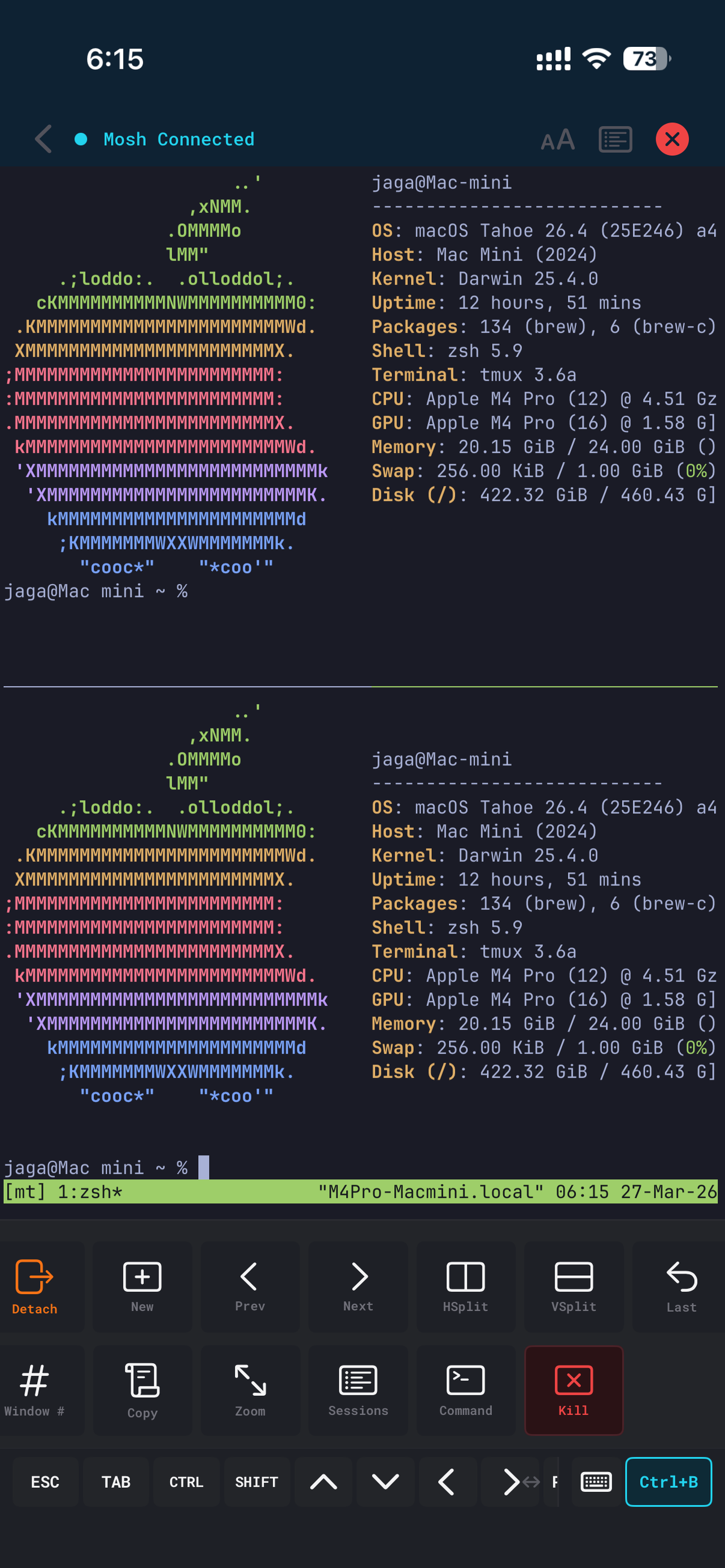
Split panes, switch windows, create sessions, resize layouts, and trigger tmux actions from the bottom bar. Keep Claude Code, Codex, logs, tests, and shells running side by side.

tmux panes and one-tap action bar

Mosh keeps work alive

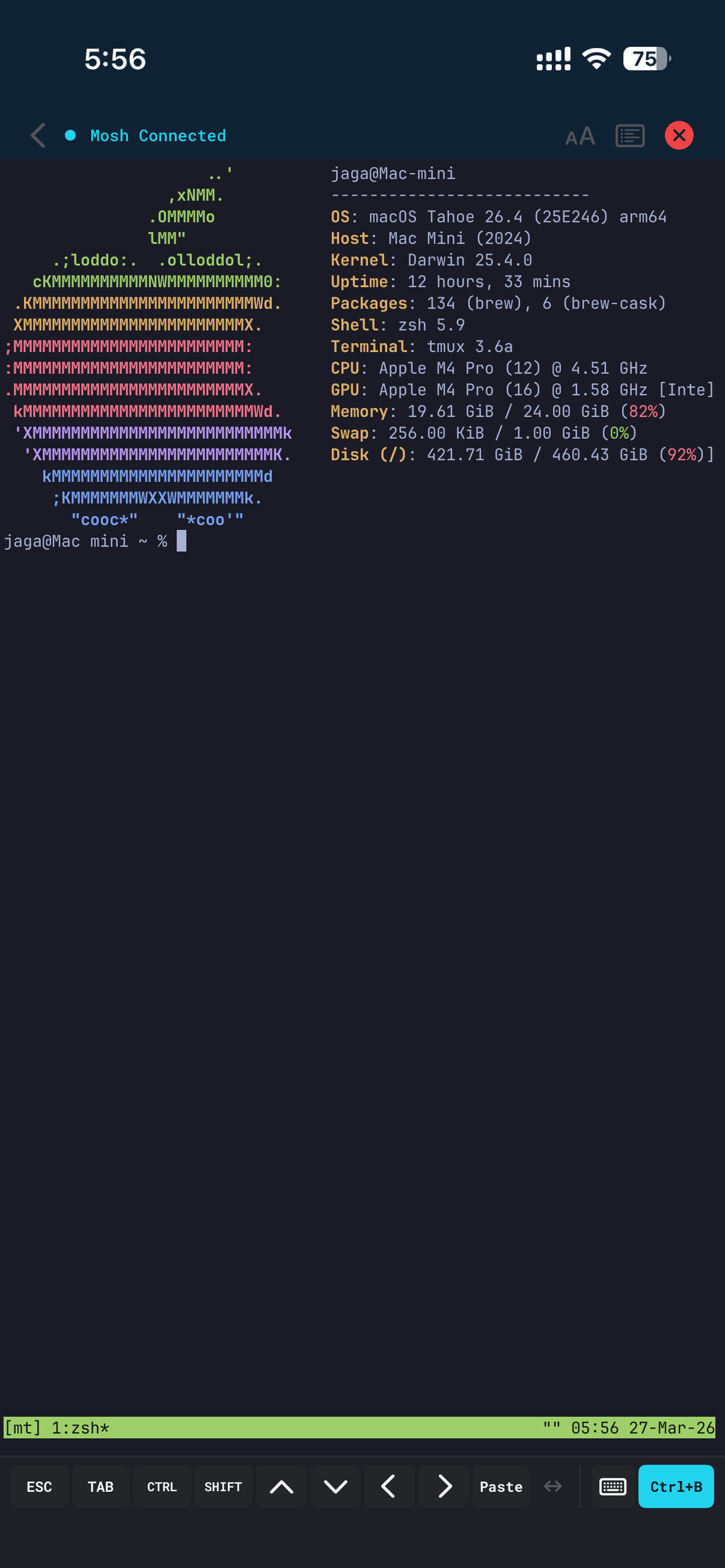
Move between Wi-Fi, cellular, tunnels, and sleep/wake cycles without losing the terminal state. Use SSH when you need it; switch to Mosh when mobile reliability matters.

Mosh connected terminal session

iPad + keyboard workstation

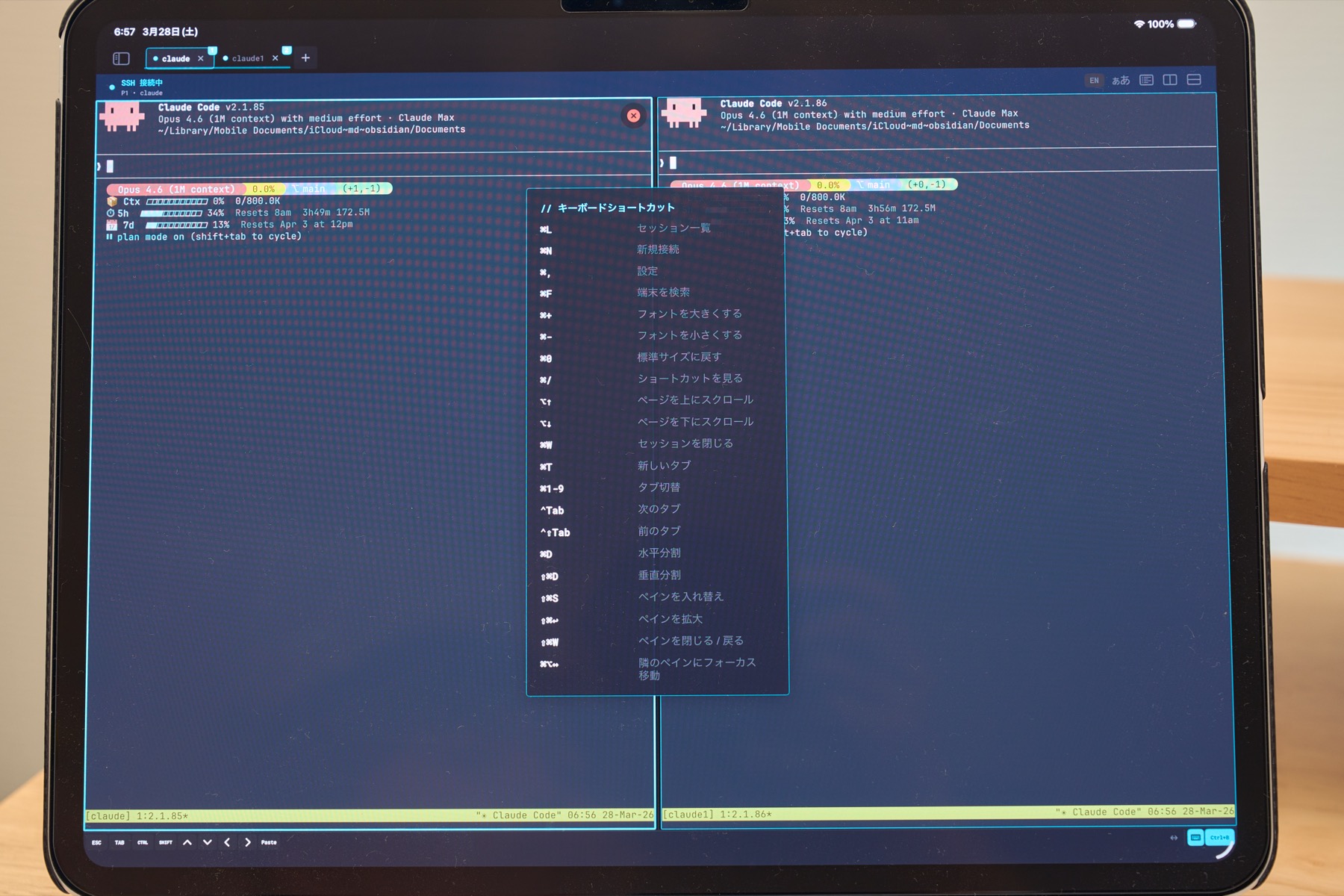
Connect a Magic Keyboard, split ergonomic board, or custom ZMK build and turn iPad into a focused remote workstation. Stage Manager, mouse and trackpad input, keyboard shortcuts, and tmux panes make long sessions practical.

MT running on iPad with Magic Keyboard

Keyboard Shortcuts

⌘1-9 tab switch, ⌘N new connection, ⌘W close, ⌘D split pane, and more. All actions accessible from the keyboard.

Full CJK Input

Japanese, Chinese, Korean IME with inline pre-edit. JIS keyboard auto-detected with ¥→\ conversion.

Split Keyboards

Works with split ergonomic keyboards and custom ZMK builds. Code comfortably.

Auto-Detect & Adapt

Software key bar auto-minimizes when an external keyboard is detected. Reconnects seamlessly on profile switch.

Agent notifications when you need them

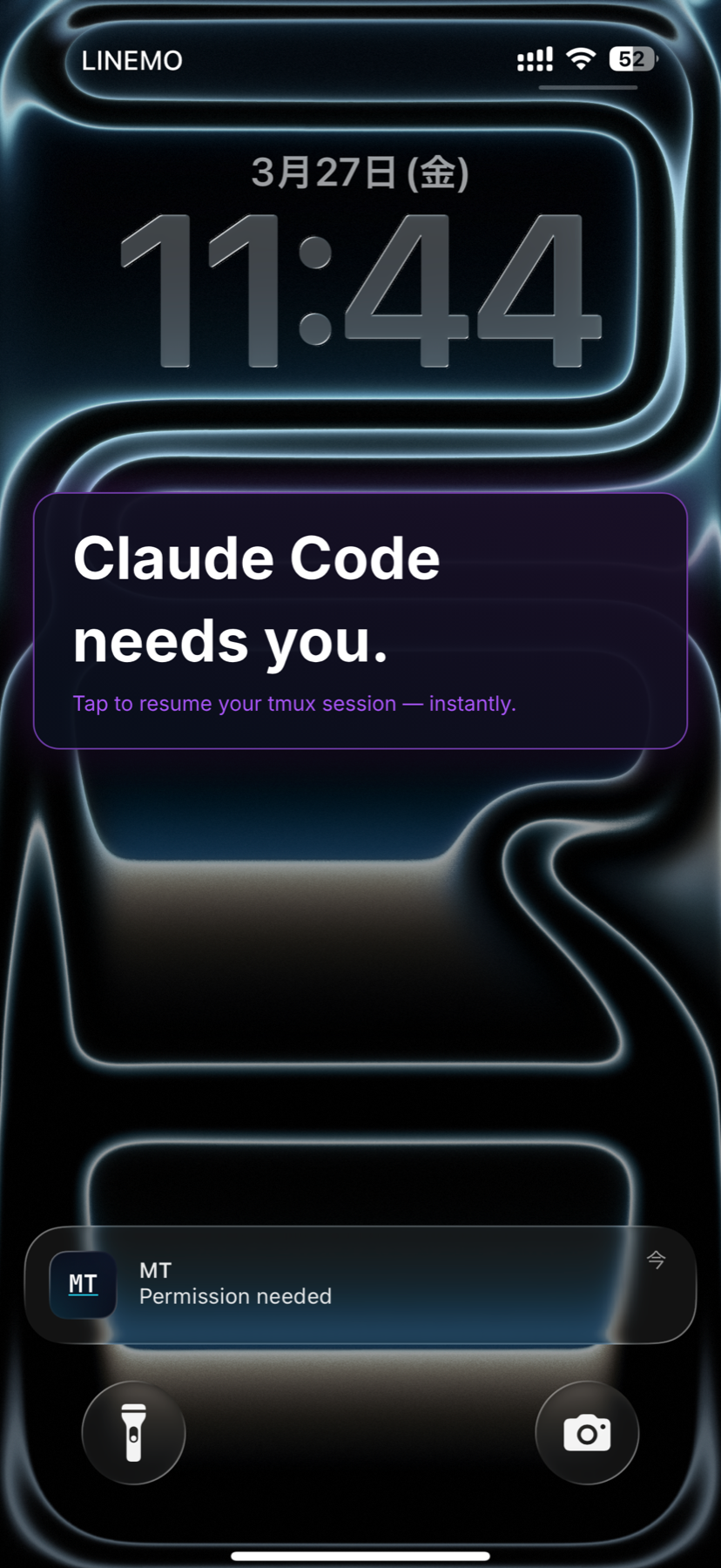
Claude Code and Codex hooks can send task completion and permission requests to iPhone and Apple Watch. Tap a notification to return to the matching tmux session over Mosh.

Claude Code Codex CLI Hooks Integration Apple Watch
Claude Code notification on iPhone lock screen

Input and customize your terminal

Beautiful Themes

Dracula, Tokyo Night, Gruvbox, Catppuccin, Solarized, and more.

Custom Fonts

Built-in Menlo, JetBrains Mono. Import your own .ttf/.otf fonts.

Full CJK Input

Japanese, Chinese, Korean IME with inline pre-edit. JIS keyboard supported.

5 Languages

English, Japanese, Chinese (Simplified & Traditional), and Korean.

Private. Secure. Fast.

Privacy First

No analytics, no tracking, no ads. All data stays on your device.

Face ID & Touch ID

Protect SSH keys with biometric authentication. Unlock securely with Face ID or Touch ID.

iCloud Sync

Sync connection profiles across devices with end-to-end encryption. 30-day soft-delete protection.

Secure by Design

SSH keys in iOS Keychain. Host key verification. End-to-end encryption.

GPU Rendered

Metal-accelerated terminal rendering powered by Ghostty. Smooth scrolling at 60fps.

Accessible

VoiceOver and Dynamic Type support. Designed for everyone.

Try everything free for 14 days

14-day free trial No subscription

MT is free to download. Your 14-day trial starts on your first connection — not on install — so you can set up your server at your own pace. Every feature is unlocked during the trial. No card details are required to start.

Feature Free MT Pro
SSH sessions 2 Unlimited
Mosh
Multi-pane
One-tap tmux
Push notifications
Themes & fonts
Autosuggest
Extended scrollback
iCloud Sync & Widget

¥2,000 / $14.99

No subscription — pay once, use forever.

Start the free trial

Ratings and reviews are on the App Store listing. MT ships with no analytics, no tracking, and no ads.

Before you download

Is MT free to try?

Yes. The app is a free download, and your 14-day trial begins on your first successful SSH or Mosh connection. All features are unlocked during the trial, and no card details are needed to start.

What happens after the trial ends?

Nothing is deleted and the app keeps working. You can continue using SSH with up to 2 sessions. Mosh, multi-pane, one-tap tmux, push notifications, themes and fonts, autosuggest, extended scrollback, and iCloud Sync become unavailable until you upgrade to MT Pro. You can upgrade at any time.

Is this a subscription?

No. MT Pro is a single one-time purchase of ¥2,000 / $14.99. There is no monthly or yearly plan, nothing renews, and there is nothing to cancel.

Can I use my purchase on another device?

Yes. MT Pro is tied to your Apple Account, so it works on every iPhone and iPad signed in with the same account. On a new device, open Settings in MT and tap Restore Purchase. If no purchase is found, make sure you are signed in with the Apple Account you originally bought it with.

What do I need on the server side?

A machine you can reach over SSH. To use Mosh you also need mosh-server installed on that machine, and tmux if you want the one-tap tmux controls. Our Getting Started guide walks through SSH keys, Tailscale, Mosh, and tmux setup step by step.

Buy once. Work from anywhere.

Free for 14 days, then ¥2,000 / $14.99 once. iPhone and iPad, iOS 18 or later. No subscription.

Download on the App Store Read setup guide