MT MT - Mosh Terminal

SSH & Mosh Terminal for iOS

Your server,
in your pocket.

Connect to remote servers with SSH and Mosh — sessions that survive network changes. One-tap tmux, full CJK input, keyboard-only operation. Built for developers on the go.

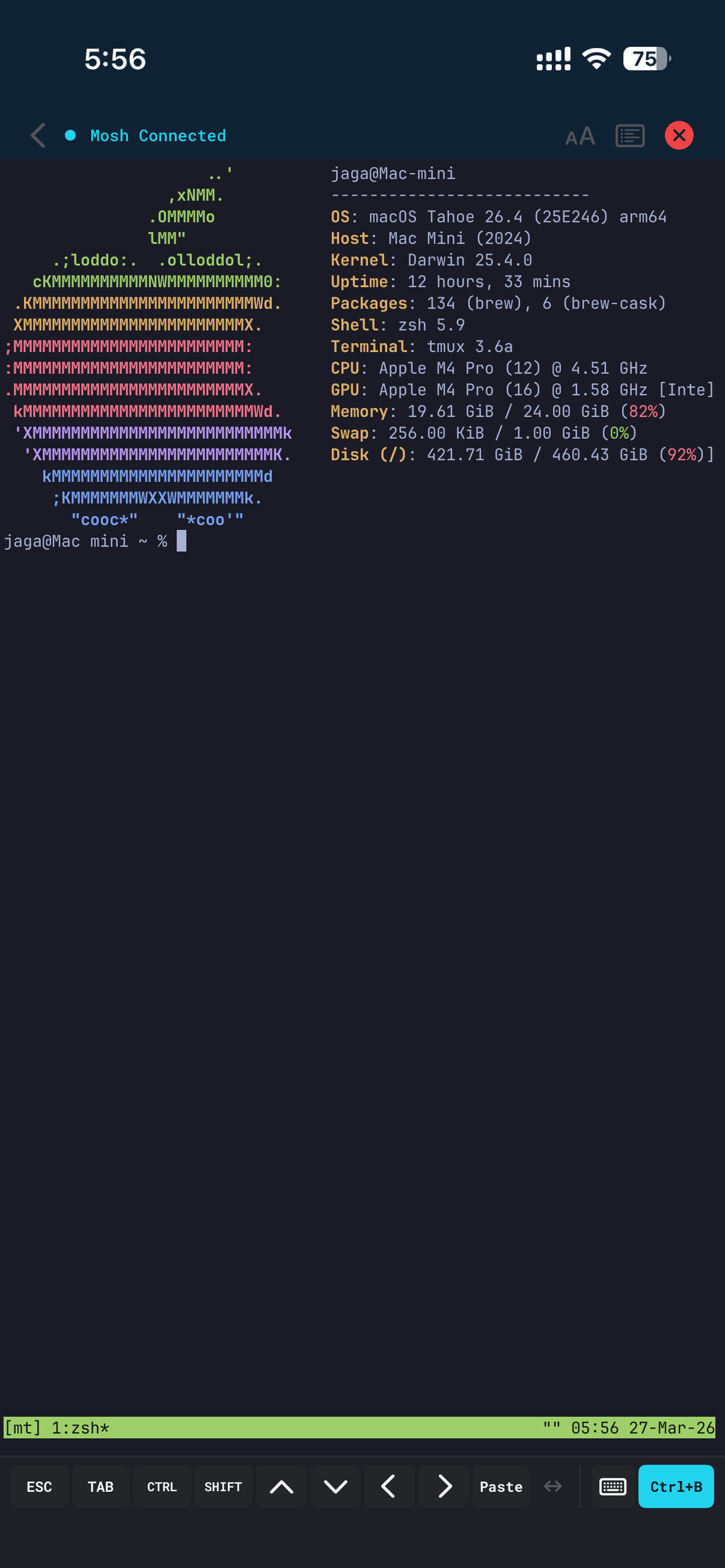
Terminal Session

SSH & Mosh

Secure shell connections over SSH. Switch to Mosh for mobile-optimized sessions that survive network changes, Wi-Fi handoffs, and sleep/wake cycles. Your session stays alive.

Session List

One-tap tmux

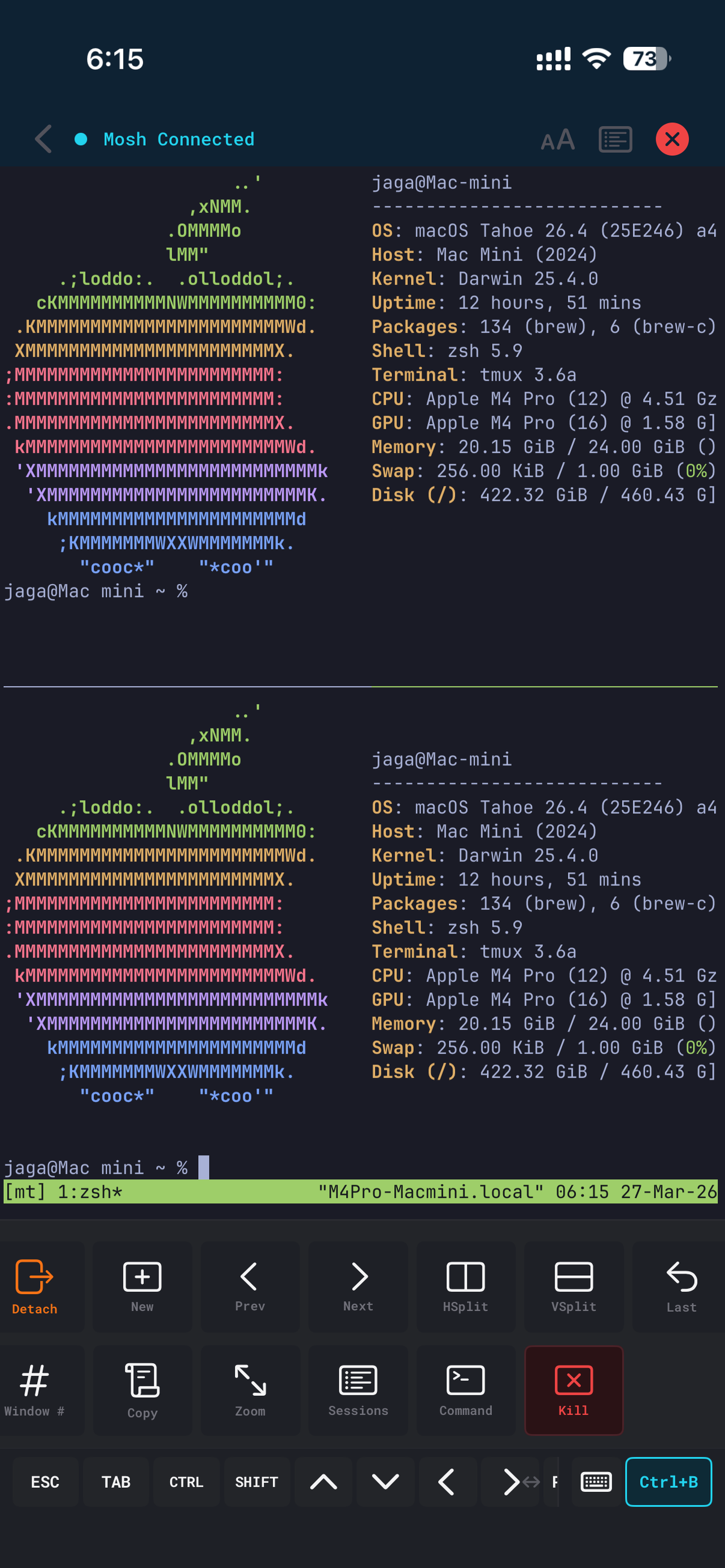
Split panes, switch windows, and open tmux tools from the bottom action bar. No need to memorize prefix key combos. Your server's tmux config — prefix key and key bindings — is automatically imported. tmux power, mobile simplicity.

tmux Panes + L2 Bar

Keyboard-First, by Design

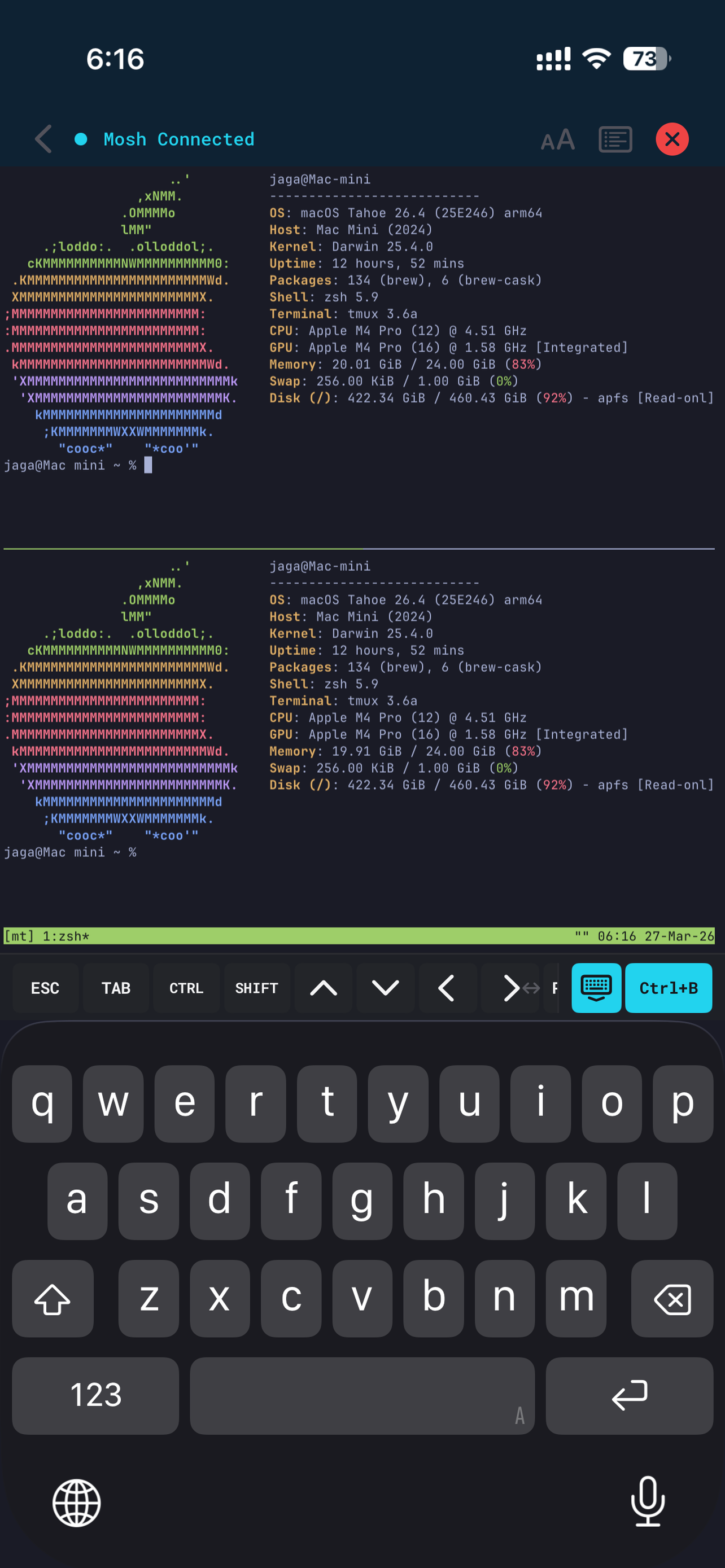
Connect any Bluetooth keyboard — Magic Keyboard, split ergonomic boards, or your custom ZMK build — and operate the entire app without touching the screen. The software key bar auto-minimizes when an external keyboard is detected.

Keyboard-First Terminal

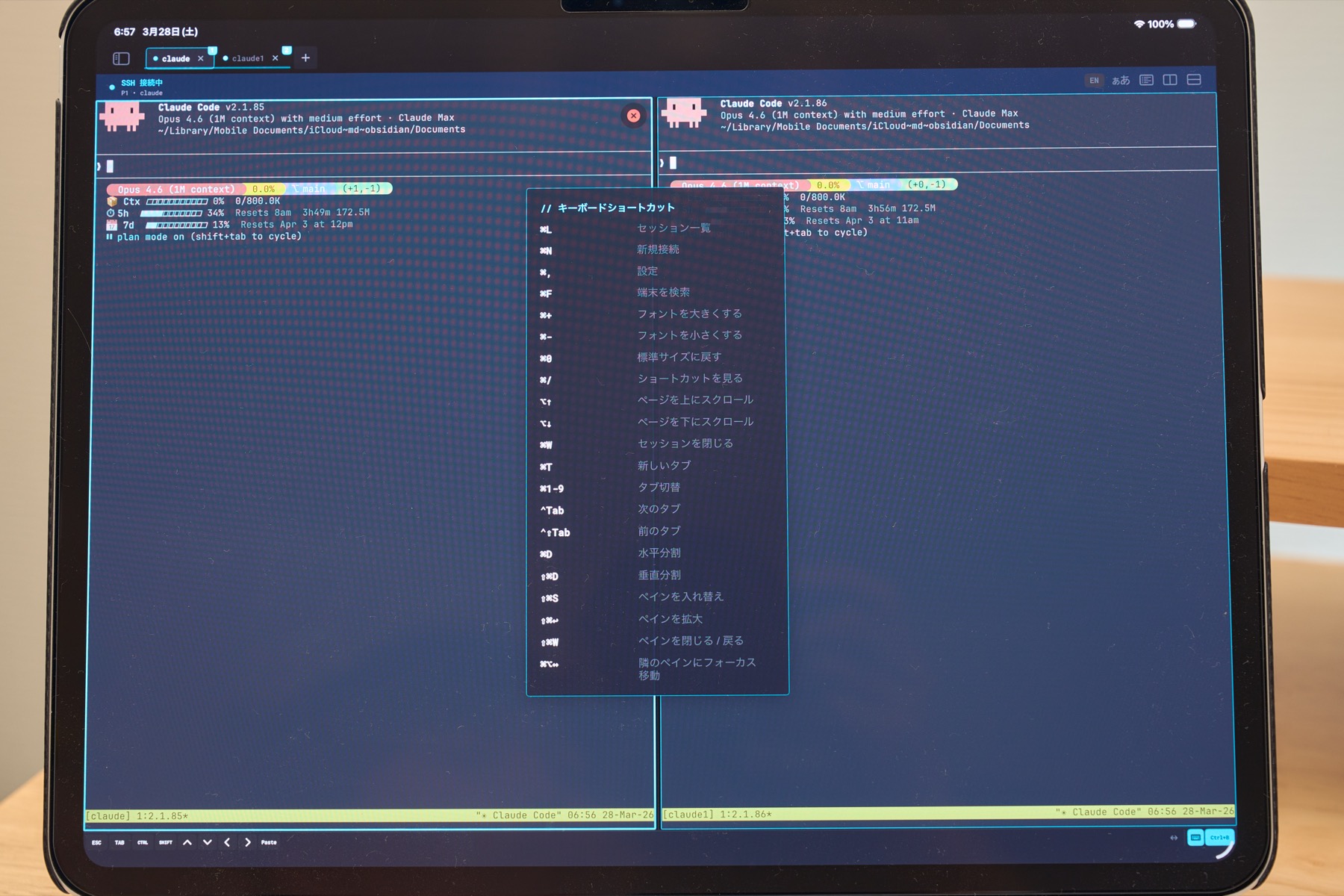
Keyboard Shortcuts

⌘1-9 tab switch, ⌘N new connection, ⌘W close, ⌘D split pane, and more. All actions accessible from the keyboard.

Full CJK Input

Japanese, Chinese, Korean IME with inline pre-edit. JIS keyboard auto-detected with ¥→\ conversion.

Split Keyboards

Works with split ergonomic keyboards and custom ZMK builds. Code comfortably.

Auto-Detect & Adapt

Software key bar auto-minimizes when an external keyboard is detected. Reconnects seamlessly on profile switch.

Desktop-Class on iPad

Stage Manager multi-window support. Resize windows side by side. Connect a Magic Keyboard for full keyboard-only operation. Multi-pane tmux layouts on the biggest screen. A true workstation, untethered.

Stage Manager Magic Keyboard Multi-window Mouse & Trackpad
iPad — tmux Multi-pane

Session Management

Swipe through active sessions in the ConnectionBar carousel. Quick connect to recent servers. Connection history with last-connected timestamps keeps your workflow organized.

Session Management — Carousel

Command Prediction

Fish-shell-style autosuggestions based on your command history. On-screen keyboard shows a suggestion bar; external keyboard shows ghost text you can accept with Tab or →. Predictions are suppressed automatically during password prompts.

Command Prediction

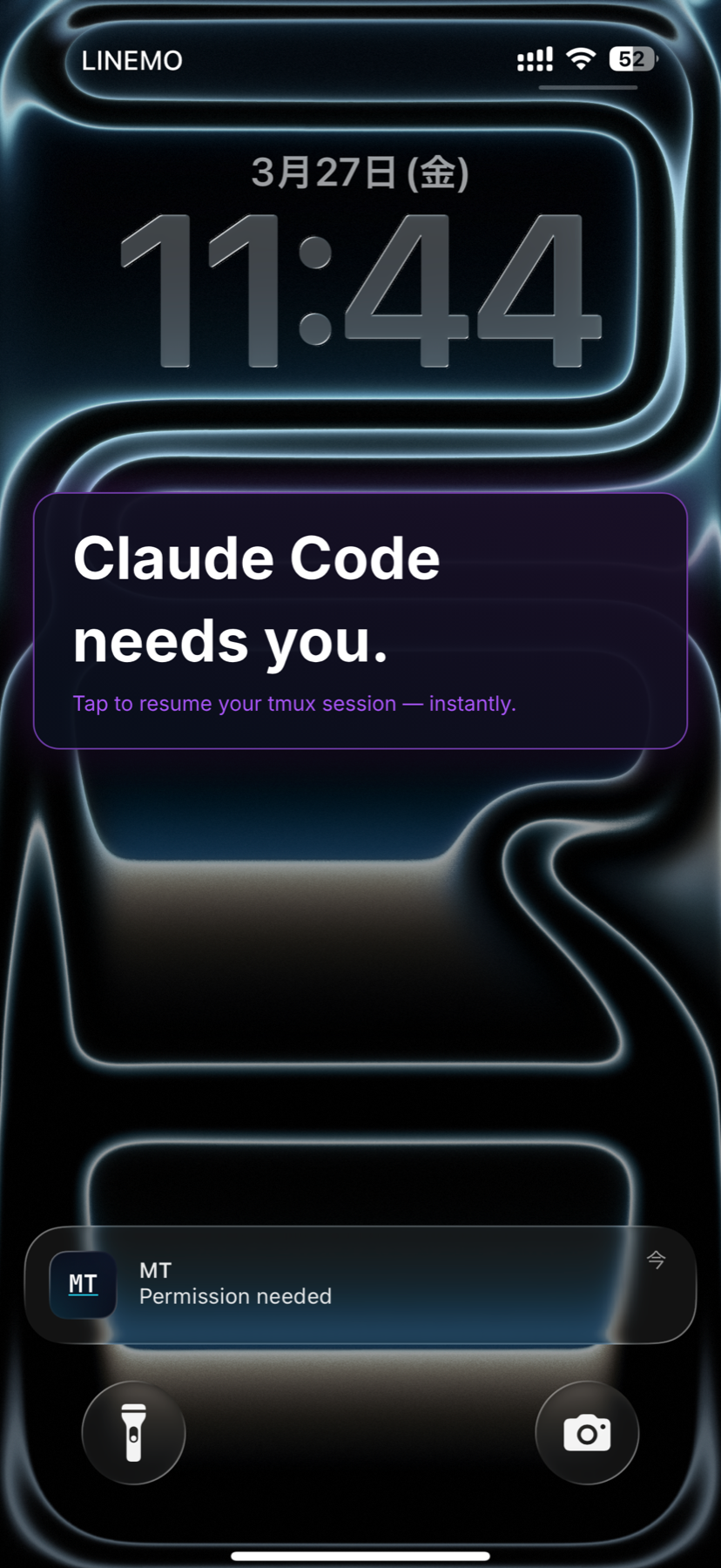
AI Agent Notifications

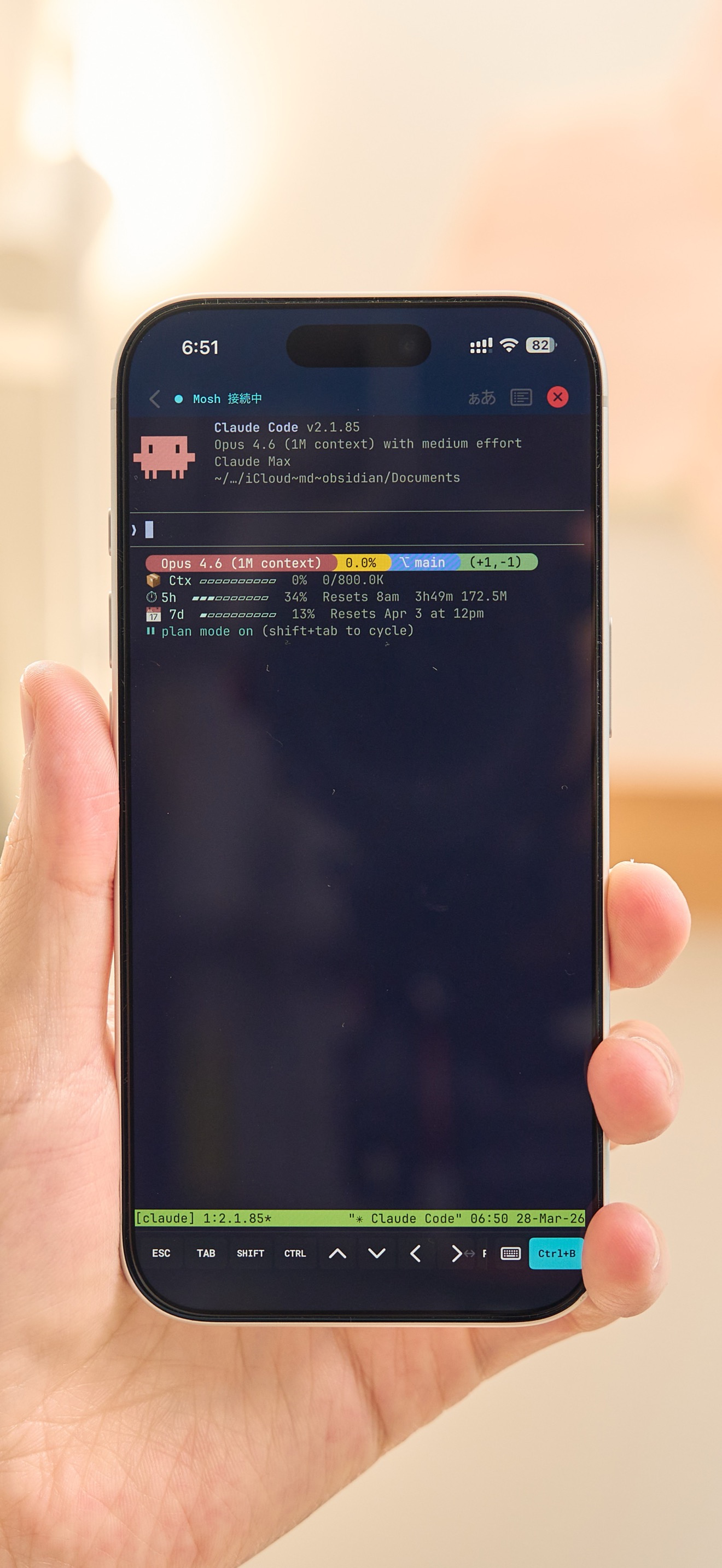
Running Claude Code or Codex? MT uses Claude Code's Hooks to guarantee push notifications at the system level — task completion and permission requests reach your iPhone and Apple Watch instantly. No CLAUDE.md hacks, no missed alerts. Just paste two hook entries and you're done.

Claude Code Codex CLI Hooks Integration Apple Watch
Agent Notification

Make It Yours

Beautiful Themes

Dracula, Tokyo Night, Gruvbox, Catppuccin, Solarized, and more.

Custom Fonts

Built-in Menlo, JetBrains Mono. Import your own .ttf/.otf fonts.

Full CJK Input

Japanese, Chinese, Korean IME with inline pre-edit. JIS keyboard supported.

5 Languages

English, Japanese, Chinese (Simplified & Traditional), and Korean.

Private. Secure. Fast.

Privacy First

No analytics, no tracking, no ads. All data stays on your device.

Face ID & Touch ID

Protect SSH keys with biometric authentication. Unlock securely with Face ID or Touch ID.

iCloud Sync

Sync connection profiles across devices with end-to-end encryption. 30-day soft-delete protection.

Secure by Design

SSH keys in iOS Keychain. Host key verification. End-to-end encryption.

GPU Rendered

Metal-accelerated terminal rendering powered by Ghostty. Smooth scrolling at 60fps.

Accessible

VoiceOver and Dynamic Type support. Designed for everyone.

Ready to code anywhere?

Available on iPhone and iPad. iOS 18 or later.

Get Started Download on the App Store